
Try-on not generating results
If the try-on modal opens but doesn't generate results, or shows an error message, here's how to troubleshoot.
Common causes and solutions
1. Image quality issues
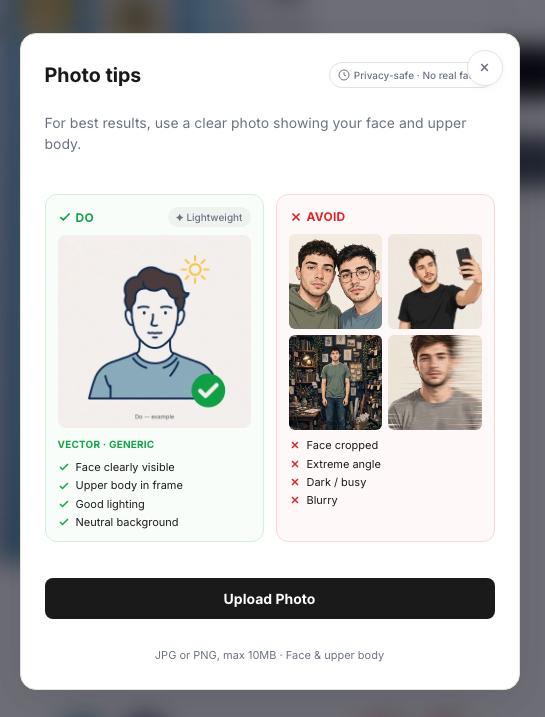
The AI works best with clear, well-lit photos. The photo should show the shopper's face and upper body. Try-on may fail if:
- The customer photo is blurry or low resolution
- The person isn't clearly visible in the frame
- The lighting is too dark or overexposed
2. Product image not suitable
The garment image needs to be:
- A clear, flat-lay or mannequin shot of the clothing
- Showing the full garment without cutoffs
- Good resolution (at least 512x512 pixels recommended)
3. The shopper has used their allowance
If you've set try-on allowances by customer group (Growth and above), a shopper who has used theirs sees a message instead of a new try-on. Raise the allowance for that group in the app. Your store's own try-ons never stop because of billing. Extra try-ons are billed at your plan's rate.
4. Temporary service issues
Occasionally, the AI service may experience temporary network congestion. If this happens:
- Wait a few moments and try again
- Contact support if the issue persists
Error messages
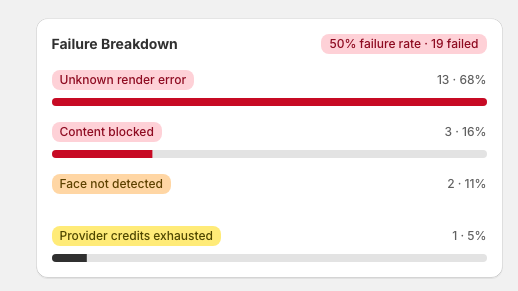
"Processing failed"
This usually means the image couldn't be processed. Try with a different photo or product image.
"Service temporarily unavailable"
The AI service is experiencing high load or maintenance. Wait a few minutes and try again.
"Image not supported"
The uploaded image format isn't supported. Use JPG, PNG, or WebP formats.
Contact us at support@mirrornex.io with your store URL and a description of the issue. Screenshots help!