
What is the Style Room?
The Style Room is a dedicated try-on portal for your customers. It's a page on your store where shoppers can access the virtual try-on experience and view their saved looks.
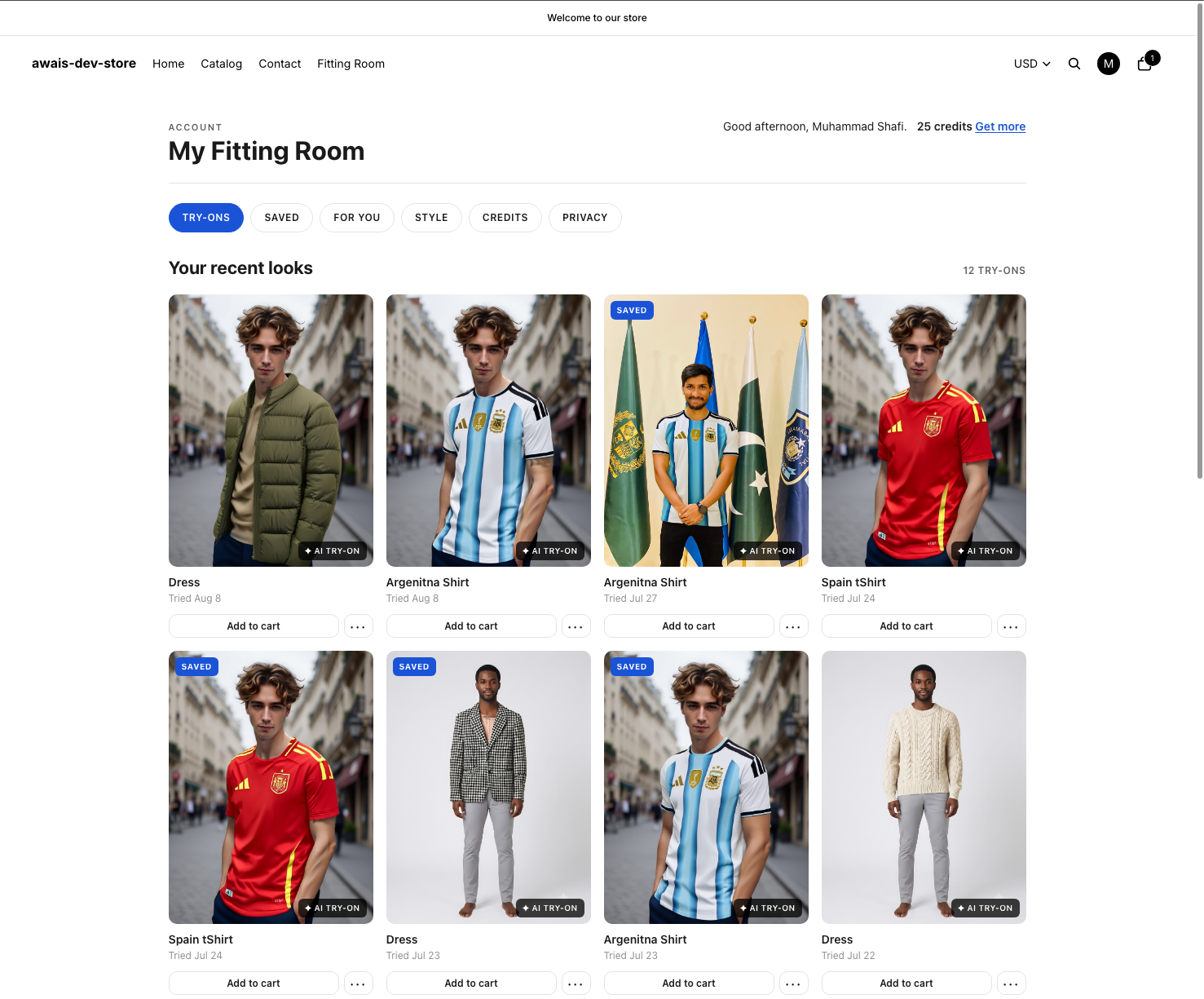
What customers can do in the Style Room
- Access try-on — Start the virtual try-on experience from a dedicated page
- View saved looks — See all the looks they've saved from previous try-ons
- Manage their profile — Update their style preferences
How it differs from product page try-on
While the product page try-on button lets customers try on a specific item they're viewing, the Style Room is a central hub for all their try-on activity:
| Feature | Product Page Try-On | Style Room |
|---|---|---|
| Purpose | Try on one specific item | Central try-on hub |
| Access saved looks | No | Yes |
| Location | On each product page | Standalone page |
| Best for | Quick single-item preview | Browsing saved try-ons |
Style Room URL
The Style Room is available at:
/apps/mirrornex/portalAdd this link to your store's navigation so customers can easily find it.
Tip: Adding the Style Room to your main navigation gives customers a clear entry point to the try-on experience and encourages return visits.